User guide
The daily loop, rules and templates, and each view
The daily loop: three operations
Karpathy reduces the daily life of a knowledge base to three operations, and the interface follows them:
- Ingest. After a source lands in raw/, the agent reads it, writes a summary page, updates related pages and index.md, and appends to log.md. One source can touch a dozen pages. "Pending" means a raw/ source that no wiki page links back to yet; the banner, the Lint page and Stats all list them.
- Query. Chat in the top bar opens the right-hand panel. The agent reads index.md first to find relevant pages, then reads them and answers with page paths as citations; answers can be tables, Mermaid diagrams or Marp slides. Press Save as wiki page on a valuable answer and it becomes a page under wiki/queries/, so explorations stay in the knowledge base. At 1280 px the chat panel temporarily replaces the right rail.
- Lint. Lint in the top bar. First the deterministic checks: orphans, broken links, pages missing from the index, pending sources, log format, missing index.md or log.md; then Run a deep lint with the agent finds contradictions, stale claims and concepts that deserve their own page, and writes wiki/lint/date.md. The deterministic checks do not count as agent runs.
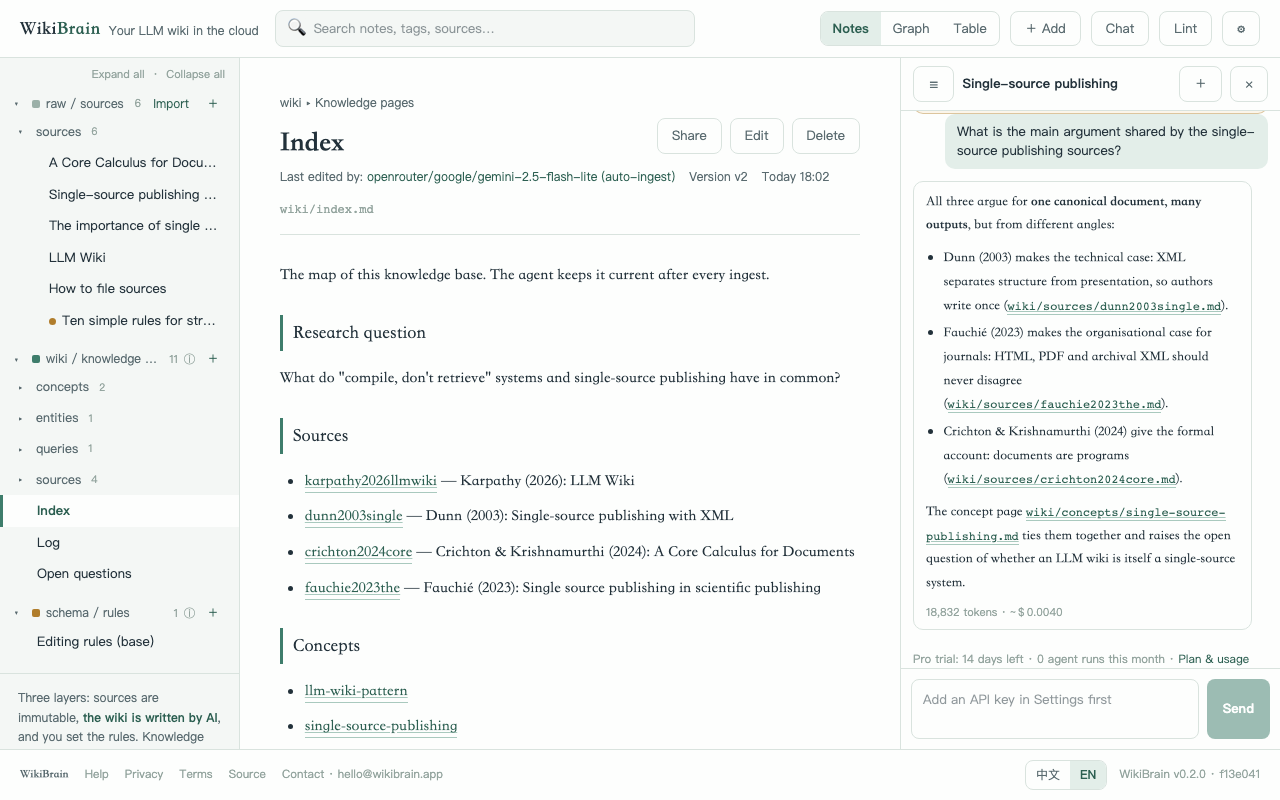
Discuss first, then ingest (Karpathy's preferred flow)
Karpathy says he prefers one source at a time with himself in the loop: the agent summarises, they discuss what to emphasise, and only then does it write. WikiBrain turns that into four steps:
- Open a pending source and press Discuss first, then ingest in the banner. The chat panel opens with a prepared prompt asking the agent to read the source, list the key points, explain how it relates to existing wiki pages, and propose how to file it.
- Press Send. The agent reads the source and index.md and replies. Steer it: "point three doesn't matter", "compare this with page X", "use the argument-page format". As many rounds as you like.
- Once the agent has replied, the pale-green bar above the input shows Compile as discussed. Pressing it starts an ingest job with the whole conversation as instructions; the agent creates the summary page, updates related pages, index.md and log.md, and progress shows above the source page.
- You can also skip the discussion and press Auto-ingest this source; the agent follows the schema rules in one pass. Either way the results land in wiki/, index.md and log.md.
Rules and templates
Templates. On first entry into an empty workspace you pick one: General, Researcher, Project manager, Book. A template is schema/ rule pages + starter folders + an opening prompt for the agent; it shapes content, not the interface. In Settings, "Scenario templates" can be layered (added, never overwriting), Preview contents shows every page, Duplicate as custom template makes it yours, and Save current rules as template keeps a tuned schema/.
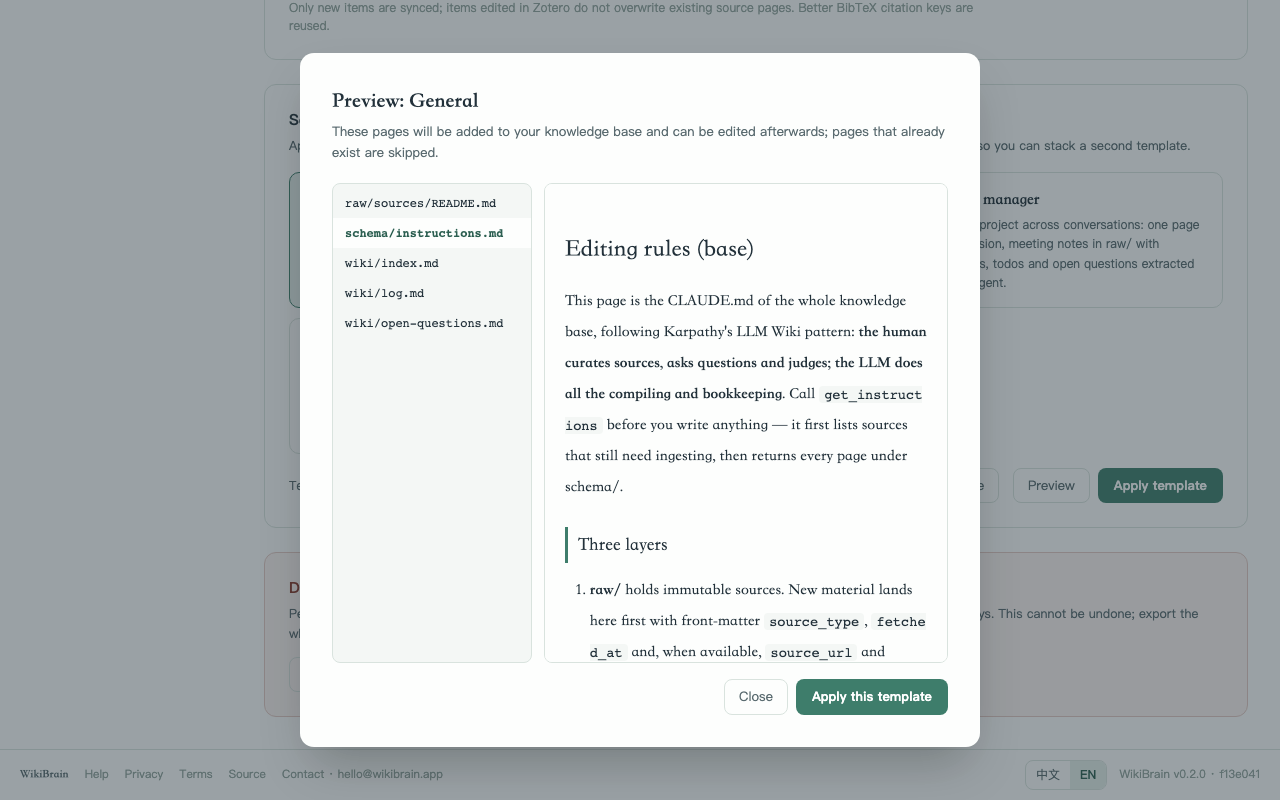
index.md and log.md. In WikiBrain they are wiki/index.md and wiki/log.md; the template creates them, the agent updates them on every ingest, and Lint checks them, so you never maintain them by hand. index.md is the content catalog, one line per page with a link and a one-line summary; log.md is append-only, each entry starting with "## [date] ingest | title", recording every ingest, filed answer and lint.
How to write rules. schema/instructions.md holds the rules for the agent in plain language; save it and the next ingest follows it. Typical rules:
- "Write wiki pages in English; give the original term on first use."
- "Paper summaries go under wiki/sources/ named by citation_key; end every page with a 'Related pages' list."
- "When sources contradict, mark both pages with '⚠ contradicts page X' instead of picking a side."
The agent got it wrong? Three levels: fix small errors directly on the page (Version history on the right restores any old version); tell the agent in the chat what is wrong and ask it to fix the page and index.md; if the same mistake keeps happening, write the rule into schema/instructions.md.
Views and tools
- Notes. Read and edit (Markdown with live preview, Ctrl/⌘+S to save, insert or paste images); backlinks and version history on the right, any version viewable and restorable. If a page is edited from both sides at once, the later save receives the current version and keeps its own draft.
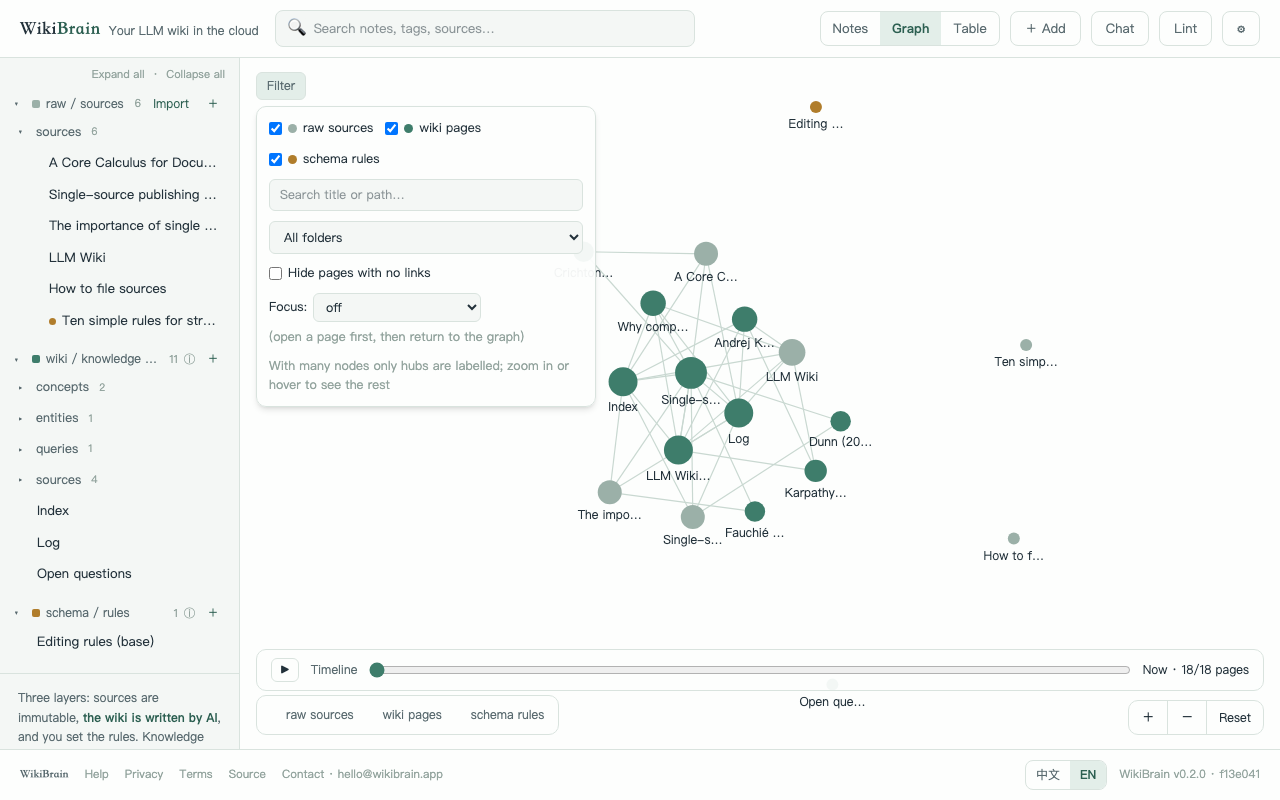
- Graph. raw grey, wiki celadon, schema amber; links are written by the agent during ingest, not extracted from sources. Drag, zoom, play the timeline to watch the base grow; Filter narrows to a layer or folder, searches titles, hides isolated pages, or focuses on the current page and one or two hops of neighbours.
- Table. Lists each page's front-matter (the property block at the top of a page: authors, year, tags…) as a table with filter, sort, group and CSV copy. The Researcher template presets it as a literature table.
- Search. The top-bar search matches substrings of titles and bodies; it is also the MCP search_notes tool.
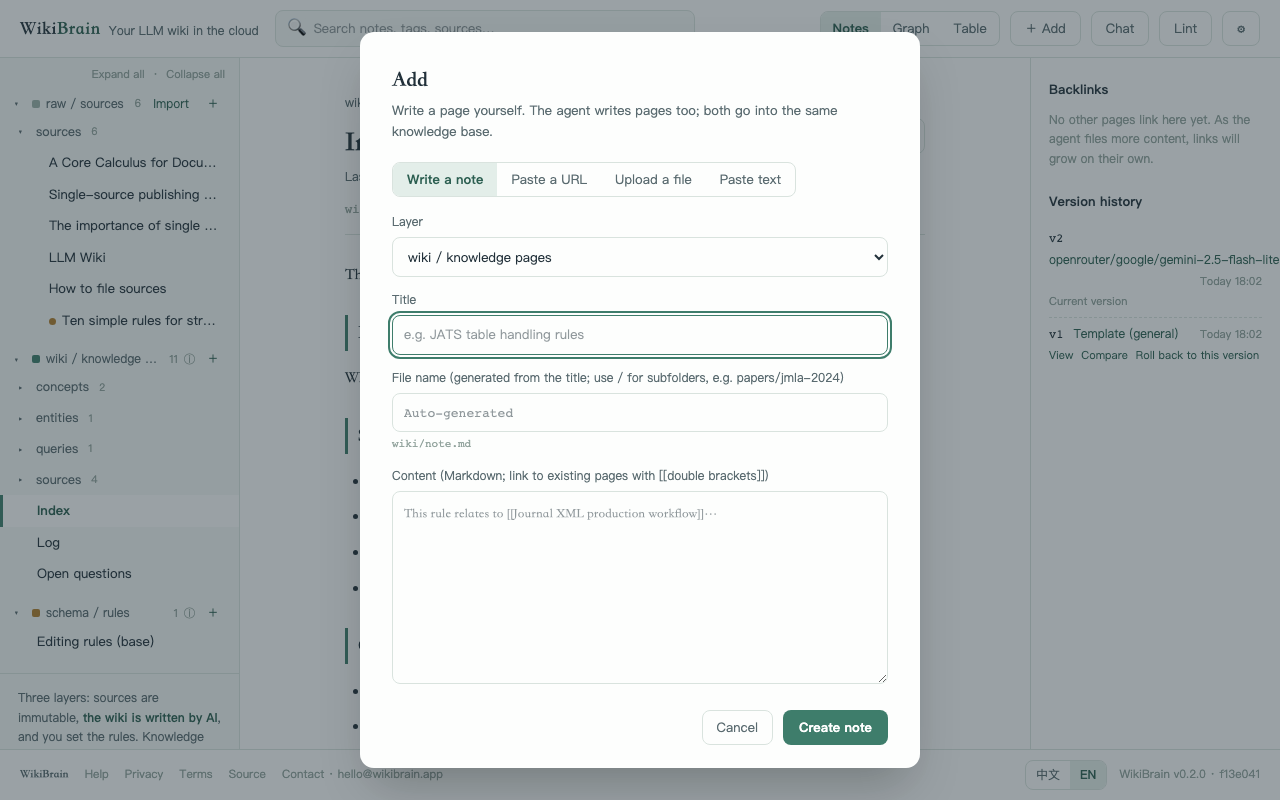
- Import. + Add has four tabs: write, paste URL, upload file (PDF, Word, HTML, Markdown, plain text, plus .bib / CSL-JSON bibliography files, one entry per page), paste text. Paper URLs get authors, year, venue and DOI filled in; ordinary pages keep title, URL and fetch time; images inside pages are stored as attachments. Pages that need JavaScript to show their content are fetched with the built-in browser; sites behind bot checks or logins still cannot be fetched, so paste the text or upload a PDF.
- Bibliography and citations. Write [@citation_key] in a wiki page and it renders as (Author, Year) linked to the source, with an automatic reference list; the exported Markdown and .bib work with pandoc. Settings can connect Zotero: a read-only key pulls new items into raw/sources/ hourly (with PDF full text) and never writes back.
- Stats. Pages per layer, source types, pages per day, an editing heatmap, and agent tokens and cost per day.
REST API (an MCP token as API key)
To read and write from scripts, cron jobs, Claude Code hooks or any program without going through MCP: the MCP token you create on the Settings page also works as an API key for the REST API. Send it as Authorization: Bearer; no cookie or Origin header is needed. Revoking the token disables both uses; versions written this way are attributed to the token's name. Account-level endpoints (tokens, AI settings, Zotero, billing, chat and auto-ingest) remain browser-session only.
# tree (three layers plus the pending list)
curl -H "Authorization: Bearer $TOKEN" https://wikibrain.app/api/notes/tree
# read one page
curl -H "Authorization: Bearer $TOKEN" "https://wikibrain.app/api/notes?path=wiki/index.md"
# create (201); 409 if the path exists
curl -X POST -H "Authorization: Bearer $TOKEN" -H "Content-Type: application/json" \
  -d '{"path":"raw/sources/note.md","content":"# Title\n\nBody"}' https://wikibrain.app/api/notes
# update with the optimistic lock (a stale if_version returns 409 with the current content)
curl -X PUT -H "Authorization: Bearer $TOKEN" -H "Content-Type: application/json" \
  -d '{"path":"wiki/index.md","content":"...","if_version":3}' https://wikibrain.app/api/notes
# search, backlinks, versions
curl -H "Authorization: Bearer $TOKEN" "https://wikibrain.app/api/search?q=keyword"
# import a URL or file into raw/
curl -X POST -H "Authorization: Bearer $TOKEN" -H "Content-Type: application/json" -d '{"url":"https://example.com/paper"}' https://wikibrain.app/api/import
# export the whole knowledge base (zip)
curl -H "Authorization: Bearer $TOKEN" -o wiki.zip https://wikibrain.app/api/export